

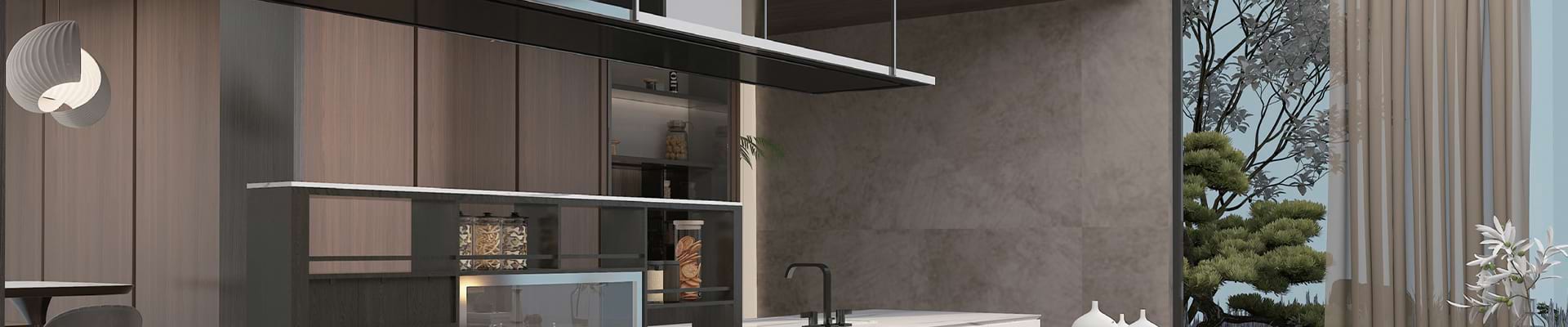
Modern interior design demands a delicate balance between visual impact and environmental responsibility. Sourcing premium aesthetics on a strict budget often challenges designers, architects, and builders alike. The industry requires materials that deliver structural quality and longevity without depleting natural resources. Eucalyptus wood surfaces provide a direct solution to this challenge. This guide examines the technical properties of eucalyptus timber. We will detail its fumed and dyed finishes, alongside practical applications in high-end cabinetry and expansive wall cladding.
Key Takeaways
Eco-Friendly Baseline: Eucalyptus is a fast-growing, highly renewable resource. It serves as an excellent foundation for green building certifications like LEED and WELL.
Design Versatility: Available in raw, fumed, and dyed finishes. The porous cellular structure offers incredible color flexibility to match precise architectural palettes.
Structural Reliability: The timber is mechanically suited for intricate furniture manufacturing and large-scale commercial cladding.
Cost-Effective Luxury: It replicates the visual depth and tactile warmth of endangered exotic hardwoods at a significantly more accessible price point.
Dimensional Stability: Both engineered and natural options provide distinct advantages in moisture resistance and overall longevity when paired with the correct substrate.
Global Industry Trends: The Shift Toward Biophilic Materials
Recent market analyses indicate a definitive shift toward biophilic design in both commercial and high-end residential sectors. Architects are actively moving away from sterile surfaces like polished steel and high-gloss laminates. They favor materials that bring organic warmth indoors. Global supply chain constraints on traditional exotic hardwoods have accelerated the adoption of fast-growing alternatives. Eucalyptus specifically addresses this demand. It offers the luxurious depth of endangered woods while maintaining strict environmental compliance. This aligns perfectly with the modern developer's mandate for sustainable luxury.

What Are Eucalyptus Veneer Panels?
Understanding the Basics of Wood Veneer
Wood veneer consists of exceptionally thin slices of timber. For premium decorative applications, these slices typically range from 0.4mm to 0.6mm in thickness. Rather than milling a log into solid boards, manufacturers meticulously peel or slice the timber to maximize the yield of the natural grain. Utilizing delicate sheets stretches a single log across a massive surface area. This highly efficient process minimizes waste. It makes high-end wood aesthetics accessible for large-scale architectural projects without depleting forest reserves.
The Anatomy of a Eucalyptus Panel
A natural veneer board made from eucalyptus is highly prized for its dynamic grain patterns. Depending on the slicing angle, eucalyptus exhibits straight linear grains, fiddleback, or pommele figures. Fiddleback presents a tight, horizontal rippling effect that catches ambient light. Pommele features a blistering, circular pattern resembling raindrops on water. To transform these fragile sheets into a functional building material, factories bond the eucalyptus layers to sturdy core substrates. High-grade E0 or CARB P2 compliant Medium Density Fiberboard or plywood is typically used. Standard panel sizes often come in 1220mm x 2440mm formats. This critical bonding phase uses industrial adhesives and hot presses to create a dimensionally stable panel that aggressively resists warping.
Natural vs. Engineered Wood Veneers
When specifying eucalyptus for a commercial project, specifiers must weigh the choice between natural and engineered options.
Technical Feature | Natural Eucalyptus Veneer | Engineered or Reconstituted Eucalyptus |
|---|---|---|
Source Material | Sliced directly from a raw, harvested eucalyptus log. | Dyed and pressed wood fibers molded into a block, then re-sliced. |
Visual Appearance | Completely unique. Organic variations mean no two panels are exactly alike. | Highly consistent. Uniform grain and color across massive production batches. |
Ideal Application | Custom furniture, bespoke millwork, luxury residential accents. | Large commercial spaces requiring exact, uninterrupted pattern matching. |
Cost Implications | Higher due to natural variations, careful sorting, and sequence matching. | Highly predictable pricing. Often more cost-effective at commercial scale. |
Why Choose Eucalyptus Veneer Panels for Modern Interior Design?
Aesthetic Appeal and Unique Grain Patterns
The rich textures of eucalyptus naturally elevate minimalist spaces. Some domestic woods feature heavy grain structures that dominate a room. Eucalyptus offers a refined, elegant texture instead. It adds visual warmth without cluttering a carefully curated design. The fiddleback figure interacts beautifully with directional lighting. It creates a three-dimensional, shimmering effect that brings incredible depth to flat surfaces. This makes it an ideal material for environments relying on subtle textural contrasts rather than loud color palettes.
The Flexibility of Dyeing and Staining
From a technical standpoint, the primary advantage of eucalyptus wood is its porous cellular structure. This allows the timber to absorb custom dyes and stains uniformly. Industry standards indicate that eucalyptus can be modified to achieve a vast spectrum of colors. Designers can specify cool Scandinavian silver-greys or deep warm charcoals. This immense color flexibility bypasses the limitations typically associated with the natural hues of raw timber.
Fumed Eucalyptus: A Touch of Elegance
Fumed or smoked eucalyptus remains highly sought after in luxury interior design. The fuming process is an intricate chemical treatment. It involves exposing the raw wood veneer to ammonia gas in a sealed, climate-controlled chamber. The ammonia reacts directly with the naturally occurring tannins within the wood. This chemical reaction darkens the wood from the inside out, resulting in deep chocolate or grey-black tones. The color change is a structural alteration rather than a surface stain. Consequently, the process preserves the delicate grain patterns and natural luminescence.
The Sustainability Factor: Are Eucalyptus Wood Panels Eco-Friendly?
A Fast-Growing Renewable Resource
Sustainability acts as a critical metric in modern architecture. Eucalyptus excels in this category. Traditional hardwoods like oak or walnut take several decades to mature. Eucalyptus trees grow at an astonishing rate. Specific species reach full maturity for harvesting in just 10 to 15 years. This rapid growth cycle ensures a continuous supply of timber. It firmly establishes eucalyptus as a leading option among sustainable wood panels for eco-conscious developers.
Sustainable Forestry Practices
The environmental benefits multiply when the raw wood is sourced from responsibly managed plantations. Premium eucalyptus products often carry strict certifications from the Forest Stewardship Council. This certification guarantees the timber is harvested using methods that maintain the forest biodiversity and ecological processes. Specifying certified panels allows architects to earn valuable points toward global green building standards.
Transforming Spaces with Architectural Wall Panels
Large-scale interior spaces require materials that offer structural stability alongside visual consistency. Eucalyptus bridges the gap between natural aesthetics and architectural precision.
Creating Focal Points in Commercial Spaces
Imagine stepping into a corporate lobby where a towering, fiddleback-textured wall immediately draws the eye. Large uninterrupted surfaces require materials that provide texture without overwhelming the spatial geometry. Eucalyptus architectural wall panels are frequently utilized to create striking focal points in boutique hotels and executive boardrooms. In acoustic engineering, micro-perforated eucalyptus panels are highly effective. These engineered panels maintain the continuous visual flow of natural wood while discreetly absorbing harsh sound frequencies.
Installation Considerations for Wall Cladding
The long-term performance of wall cladding depends entirely on the installation methodology. Wood naturally responds to environmental humidity fluctuations. Proper mounting systems are non-negotiable. Professional installers typically utilize mechanical fastening methods such as aluminum Z-clip systems or wooden French cleats. These concealed mounting systems allow the panels to hang securely. They also provide a crucial 10mm to 15mm air gap between the substrate and the structural wall. This gap facilitates air circulation and drastically minimizes the risk of moisture accumulation.
Eucalyptus Furniture Veneer: Crafting Contemporary Masterpieces
The distinct characteristics of eucalyptus make it a preferred material for high-end furniture manufacturing. The density and superior workability allow artisans to achieve precise, clean lines.
Cabinetry and Bespoke Millwork
Luxury kitchen design requires absolute consistency in grain and color. Eucalyptus furniture veneer provides a reliable solution. The exceptionally tight grain structure prevents finishing lacquers from pooling. This results in a remarkably smooth surface ideal for modern, handle-less cabinetry. Designers utilize sequence-matched panels for built-in wardrobes. This meticulous matching ensures the wood grain flows continuously from one cabinet door to the next.
Edge Banding and Finishing Touches
Utilizing veneer in furniture design requires proper treatment of exposed edges. Manufacturers apply matching eucalyptus edge banding to maintain the illusion of solid wood. This thin, continuous strip of veneer is adhered to the exposed substrate edges using heat-activated polyurethane or ethylene-vinyl acetate adhesives. Proper edge banding protects the vulnerable core from moisture ingress and physical impact.
Eucalyptus Plywood Review: Pros, Cons, and Performance
The physical performance of any veneered surface links directly to the quality of its underlying core substrate. Eucalyptus-based cores have gained significant traction as a robust backing for premium decorative veneers.
The Advantages of Eucalyptus Plywood Substrates
Engineered by cross-laminating thin layers of eucalyptus timber, eucalyptus plywood neutralizes the natural tendency of wood to warp. This results in a highly rigid board. Compared to standard Medium Density Fiberboard or generic softwood plywood, eucalyptus plywood exhibits vastly superior mechanical properties.
Performance Metric | Eucalyptus Plywood Core | Standard MDF Core |
|---|---|---|
Density and Structural Rigidity | High density. Excellent structural rigidity over long unsupported spans. | Medium density. Prone to sagging under heavy weight over time. |
Screw Holding Capacity | Excellent. Ideal for heavy architectural hardware and drawer slides. | Poor. Threads often strip under repeated heavy loads. |
Moisture Resistance | Good. Resists swelling when properly edge-sealed with PUR adhesives. | Poor. Swells and degrades significantly upon direct water contact. |
Potential Drawbacks to Consider
Despite its advantages, eucalyptus requires knowledgeable handling. Natural eucalyptus veneer exhibits a known sensitivity to ultraviolet light. Prolonged exposure to direct sunlight causes photobleaching. This shifts or fades the rich color. The mandatory use of UV-inhibiting aliphatic polyurethane topcoats prevents this issue. Furthermore, eucalyptus plywood is moisture-resistant but not waterproof. Rigorous sealing of all surfaces and edges with marine-grade finishes is mandatory in high-humidity environments.
Actionable Selection Guide for Your Next Project
Implementing wood veneer requires a systematic approach from material selection to the final protective coating.
Selecting the Right Cut and Match
The final visual outcome is determined by how the log is sliced and arranged.
Plain Sliced: Produces a traditional cathedral grain pattern with sweeping arches.
Quarter Sliced: Yields a straight, linear grain highly favored in contemporary design.
Slip Matching: Veneer leaves are placed side-by-side in sequence. This minimizes the barber pole color variation effect seen in specific lighting.
Book Matching: Every other leaf is turned over. This creates a symmetrical, mirrored pattern ideal for formal focal points.
Choosing the Right Substrate Thickness
The core material dictates the success of the application. For complex, curved surfaces, a flexible 9mm MDF core is preferred due to its perfectly smooth surface. For load-bearing furniture or large architectural installations requiring mechanical strength, 18mm eucalyptus plywood remains the superior choice.
Finishing and Sealing Systems
Applying a catalyzed acrylic topcoat protects the board from daily wear and UV degradation. Hard-wax oils are frequently used for an ultra-matte look. These oils penetrate deep into the wood fibers. They offer localized repairability and preserve the raw tactile sensation of the grain, though they require more frequent maintenance than film-building lacquers.
Conclusion
Eucalyptus panels bridge the gap between modern design aesthetics and strict green building practices. They represent a smart choice for architects and interior designers. These versatile materials perform flawlessly across bespoke residential furniture and expansive commercial wall cladding. Builders consistently appreciate their lasting structural strength and superior workability.
When paired with the correct substrates and finishing techniques, eucalyptus surfaces endure the rigors of daily use while maintaining their luster. If you seek a material providing the elegance of exotic hardwoods without harming the environment, explore the premium panel configurations available at GC Panels to find the exact specifications for your next architectural project.
FAQ
Is eucalyptus plywood good for interior furniture?
Yes. Eucalyptus plywood possesses a high density and an interwoven grain structure resulting from its cross-laminated layers. This makes it highly durable and provides excellent screw-holding capacity. It serves as a stable core for premium furniture veneers, preventing the sagging or hinge failure often seen in lesser substrates like standard MDF.
How does fumed eucalyptus differ from stained eucalyptus?
Fuming is a chemical process exposing the raw wood to ammonia gas, which reacts with natural tannins. This darkens the wood all the way through the veneer layer. Staining involves applying a pigmented liquid only to the surface. Fuming produces a deeper color change that will not sand away easily and preserves the natural shimmer of the wood.
Are eucalyptus veneer panels suitable for bathrooms or kitchens?
They perform well in these demanding areas provided they are correctly processed. The panels must be completely sealed on all sides using high-quality, moisture-resistant finishes like catalyzed polyurethane. Without proper sealing, dramatic changes in humidity can cause the surface veneer to peel or the underlying substrate to swell.
How do you maintain and clean eucalyptus veneer surfaces?
Routine maintenance requires only a soft, slightly damp microfiber cloth to remove dust. Avoid harsh chemical cleaners, abrasive sponges, or wax-based polishes. These can degrade the protective topcoat over time. If the panel is finished with hard-wax oil, periodic re-oiling every few years will restore its original luster and protective barrier.
Can eucalyptus veneer be used for curved architectural elements?
Yes. When bonded to a flexible substrate like bendy MDF or specialized flexible plywood, the 0.4mm to 0.6mm veneer easily conforms to curved walls, reception desks, and rounded columns. This requires specialized cold-pressing techniques and vacuum bags during fabrication to ensure the veneer does not crack under tension.
Can I use eucalyptus wood panels for a DIY home renovation?
Many suppliers offer pre-veneered and pre-finished panels designed for easier installation. With standard woodworking tools and the correct mounting hardware like aluminum Z-clips, dedicated DIY enthusiasts can successfully install these panels. This achieves professional-grade architectural wall cladding without hiring a specialized contractor.
Is eucalyptus veneer expensive compared to other woods?
Eucalyptus is significantly more cost-effective than traditional exotic hardwoods such as teak, mahogany, or walnut. Because eucalyptus trees grow incredibly fast on sustainable plantations, the raw material is abundant. This rapid renewability allows developers to achieve a high-end aesthetic at a much more accessible price point.